Identify fractional parts of a group
Learn or teach by designing your own identify fractions of groups of objects.
INSTRUCTIONS
Make Fractions of a Group Designer uses square and round cookies to demonstrate a fractional part of a group of objects. The following illustration was made from this program:
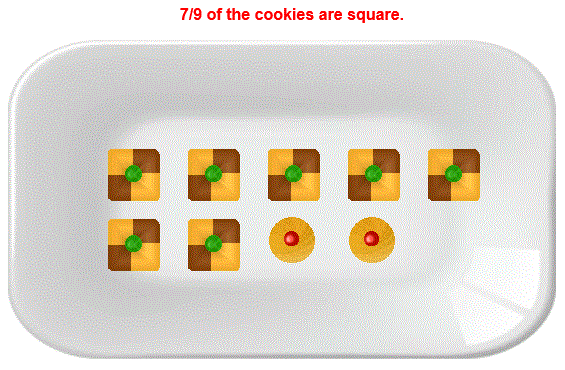
To arrive at the fraction  simply enter 7 for the number of square cookies and 9 for
the total number of cookies.
simply enter 7 for the number of square cookies and 9 for
the total number of cookies.
The picture will show that 7 of the 9 cookies are square cookies.
All fractions must be less than or equal to one. The denominator must be 20 or less.
The <EXPLAIN> checkbox checked will show how the fraction of square cookies is calculated. Uncheck <EXPLAIN> to hide the explanation, allowing the teacher or learner to demonstrate how to write the fractions.
With <SHOW INPUT> unchecked, the numerator and denominator input boxes will act the same as password input boxes so learners will not see the numbers you input.
Suggestions:
Demonstrate numerator with 3⁄9 and then 4⁄9. Continue with increasing the numerator until you arrive at 9⁄9. This will make all cookies square cookies.
WINDOWS COMPUTERS
Windows users can select any part of the screen by right clicking and selecting "Take a screenshot". Adjust to fit mage you want. This copies the selection into Windows Clipboard™. The screen can then be pasted into Windows Paint™ or your favorite imaging program. Or you can select "Download" which will put the image into your files "Download" folder.
IPADS
To take a screen shot with the Ipad first press the Sleep/Wake button at the top right of the Ipad. While holding the Sleek/Wake button press and release the round Home button at the bottom of the screen. You should see a photo of the screen by going to the Home page and pressing the Photos icon.